
This article explains how waiting conditions and timeouts work together in an event-based workflow node, using a practical example.
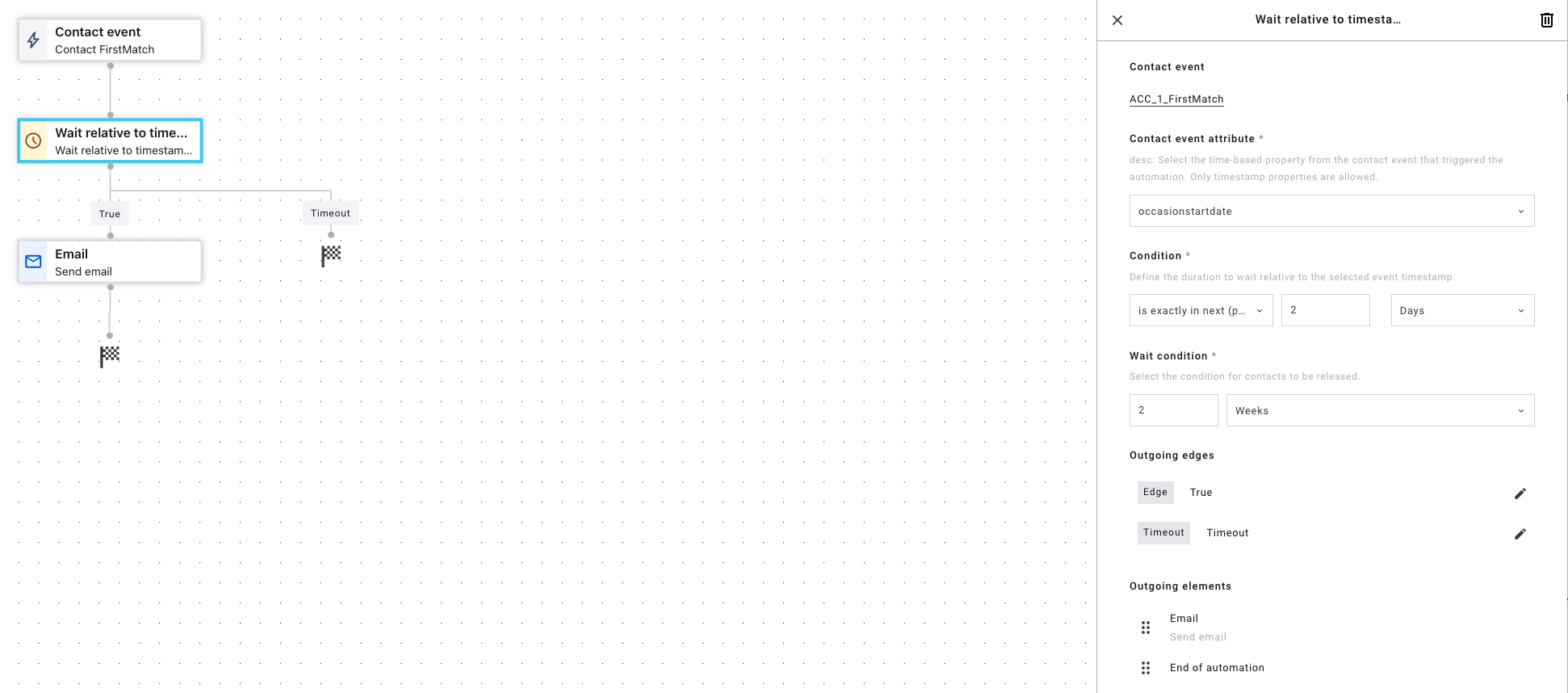
What does this node do?
The node waits for a specific event to occur for a contact.
That event must also meet date-based conditions (Timestamp format: YYYY-MM-DD HH:mm).
If a valid event happens in time, the contact follows the match path.
If not, the contact eventually follows the timeout path.
Key concepts at a glance
| Concept | What it means |
|---|---|
| Waiting condition | Determines whether an incoming event is considered valid |
| Timeout | Limits how long the system waits for a valid event |
| Match path | Taken when a valid event arrives |
| Timeout path | Taken when no valid event arrives in time |
1. Waiting condition (event validation)
The waiting condition checks event metadata to decide whether an incoming event is valid.
Example condition
Example property in contact event:
occasionstartdateExample rule in marketing automation flow: Must be no more than 2 days before the event timestamp
What this means
When an event arrives:
The system compares
occasionstartdateto the event’s timestampThe event is only accepted if the date difference is ≤ 2 days
Events that do not meet this rule are ignored, not rejected
Important:
Ignored events do not end the waiting period. The contact keeps waiting.
2. Timeout (maximum waiting period)
The timeout defines how long the contact will wait for a valid event.
Example timeout
Timeout duration: 2 weeks
The countdown starts when the contact enters the node
What happens
If a valid event arrives within 1 day → match path
If no valid event arrives within 2 weeks → timeout path
Events arriving after the timeout are ignored
How the two rules work together
The system waits up to the timeout duration
During that time, only events that meet the waiting condition count
The first valid event immediately routes the contact
If no valid event occurs before the timeout expires, the contact times out
Practical examples
✅ Example 1: Event arrives in time and matches
Contact enters node: Jan 10
Timeout ends: Jan 24
Event arrives: Jan 10
occasionstartdate: Jan 9 (1 day before) → valid
➡️ Contact follows match path
❌ Example 2: Event arrives in time but does not match
Contact enters node: Jan 10
Event arrives: Jan 10
occasionstartdate: Jan 5 (5 days before) → invalid
➡️ Event ignored
➡️ No other valid event arrives
➡️ Contact follows timeout path on Jan 11
❌ Example 3: Event arrives after timeout
Contact enters node: Jan 23
Timeout ends: Jan 24
Event arrives: Jan25
➡️ Too late — contact already followed timeout path
❌ Example 4: No event occurs
Contact enters node: Jan 24
No event received
➡️ Contact follows timeout path on Jan 24
Order of evaluation
When an event arrives, the system evaluates it in this order:
Is the contact still within the timeout window?
Does the event meet the waiting condition?
If yes → match path
If no → ignore and keep waiting
If timeout expires → timeout path
In short
This configuration means:
The system waits up to x days / weeks / months for a specific event
The event is only valid if its date is no more than x days / weeks / months before the event timestamp
A valid event immediately moves the contact forward
If no valid event occurs in time, the contact follows the timeout path