
What is it?
The RSS Feed Trigger is a triggered email campaign type that fires automatically whenever new items are detected in a specified RSS feed and can be send to a specified Contact Filter.
⚠️ Advanced feature and currently only available in the new UI
Step 1 — Content
Use feed item variables in your email template to dynamically output values from each RSS item. Standard RSS fields like title, link, and description have their own variables.
Custom Variables
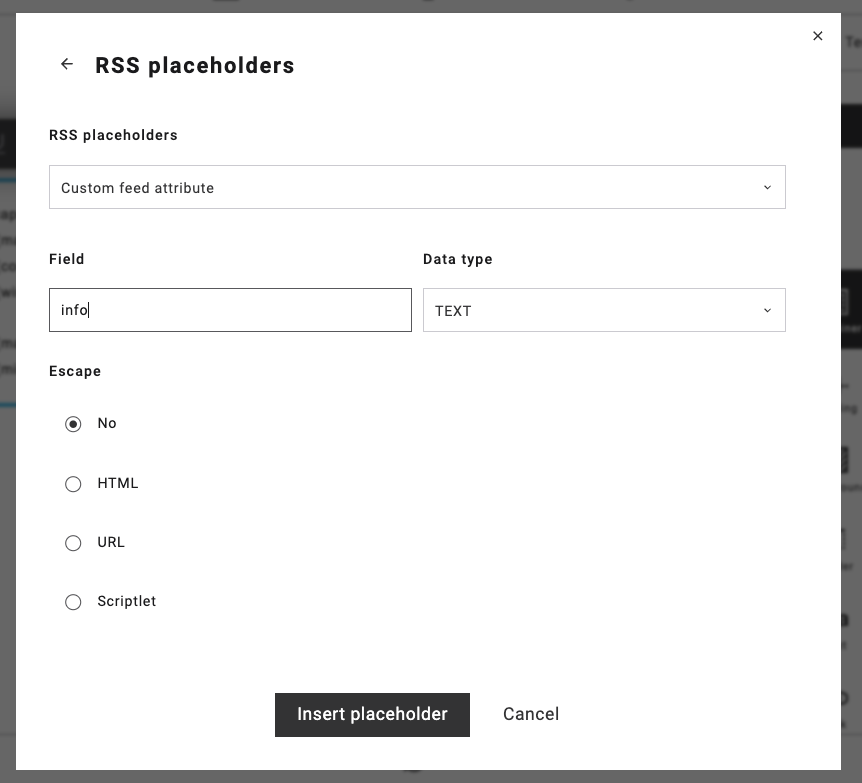
Custom fields passed in the feed via extension elements can be referenced by their field name, with optional type modifiers (?text, ?number) and formatting filters (e.g. $fraction_length=0).
More information about using custom variables in an RSS feed and Mailing:
https://support.maileon.com/support/rss-feeds/
RSS Feed Loop
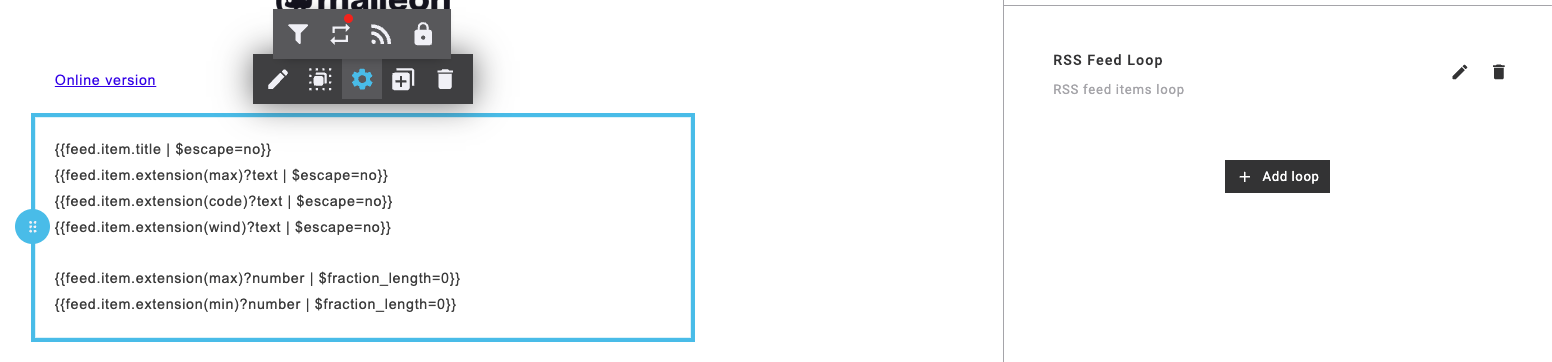
When using the RSS Feed Loop, it's possible to display several items from the RSS feed in the mailing.
Step 2 — Select the trigger type
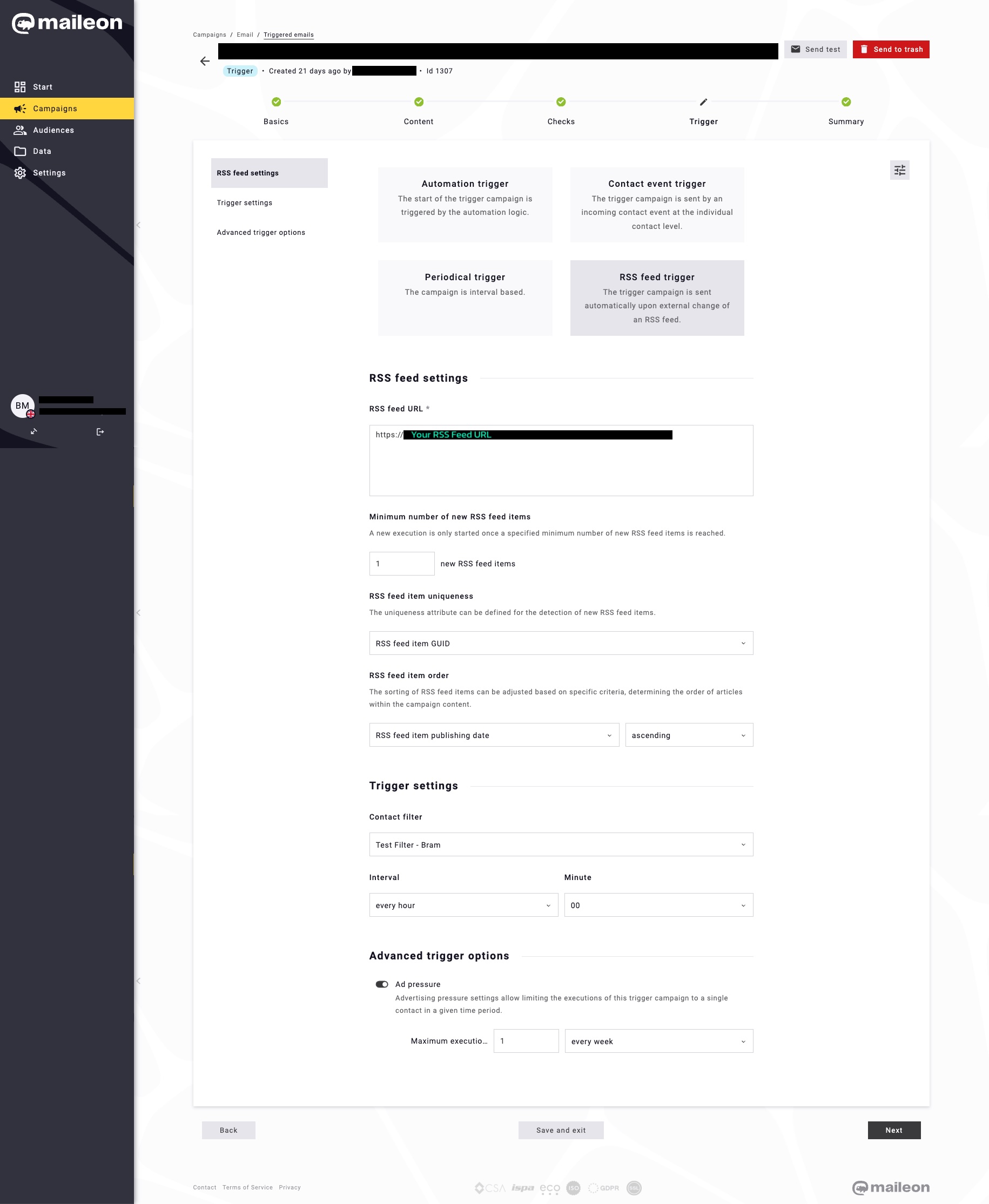
In the Trigger step of your campaign, select RSS feed trigger. This makes the campaign respond to external RSS feed changes rather than a schedule or contact event.

Step 3 — RSS Feed Settings
RSS feed URL The full URL of the RSS feed Maileon should monitor.
Minimum number of new RSS feed items The number of new items that must appear in the feed before a send is triggered.
RSS feed item uniqueness How Maileon identifies whether an item is new. Options:
- Combination of title + description + link
- Publishing date
- Title
- GUID
- Link
RSS feed item order The order in which items are presented in the email. Sort by publishing date, item order, title, or link — in ascending or descending direction.
More information about the RSS feeds and specifics:
https://support.maileon.com/support/rss-feeds/
Step 4 — Trigger Settings
Contact filter Optionally limit the audience to contacts matching a saved filter.
Interval / Minute How often Maileon polls the feed. Options are every hour, every day, every week, or every month. The Minute field sets the offset within the interval.
Step 5 — Advanced Trigger Options
Ad pressure Caps how many times a single contact can receive this campaign within a given period (every day, week, month, year, or in total). Useful when the feed updates frequently but you don't want contacts receiving emails at the same rate.